
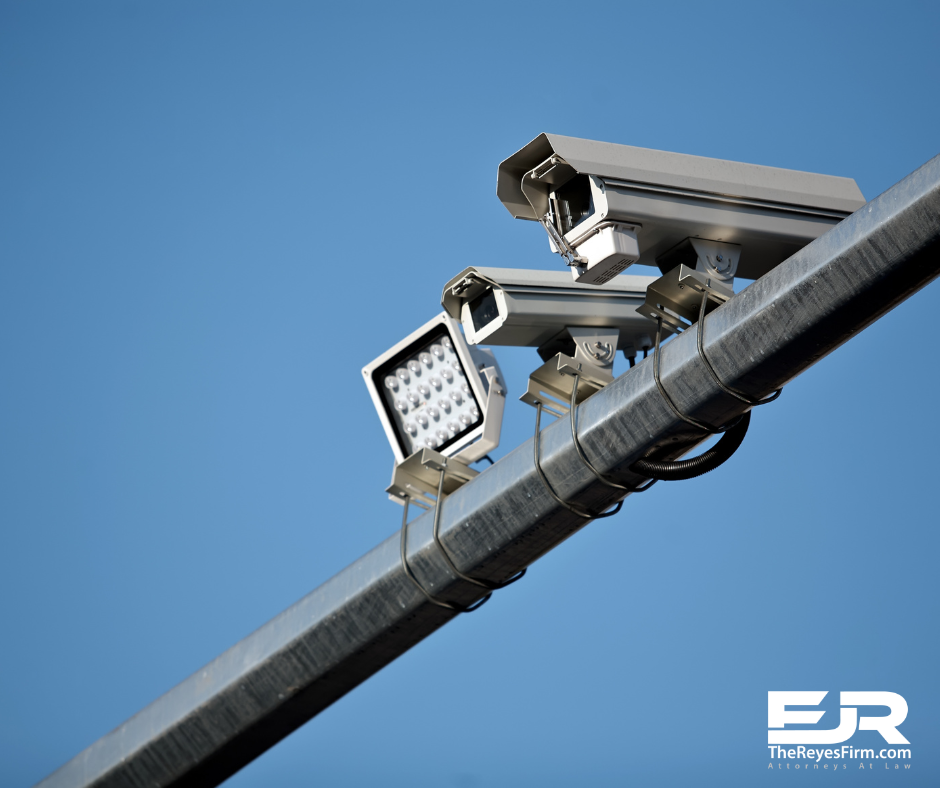
How to Get Traffic Cam or Business CCTV Footage After a Crash on I‑275 or I‑4 in Tampa
A serious crash can happen in just a split second. It might be caused by a speeding vehicle, a sudden lane change, or even a semi-truck losing control on I‑275 or I‑4. Everything can change in an instant. For drivers in Tampa, these busy highways are just part of their everyday life. And sadly, so are the accidents that happen on them. After a crash, the next steps usually feel overwhelming. Who was at fault? What really happened? That’s where video evidence becomes essential. Learning how to get traffic camera footage after an accident can make a big difference in protecting your rights. Traffic cam video or business CCTV footage can clearly show what occurred before, during, and after the crash. This type of proof helps injury victims stand up to insurance companies, file stronger claims, and counter false accusations. However, in many cases, time is critical, and footage is deleted or overwritten within just a few days, sometimes even hours. In this guide, we’ll walk you through how to get traffic camera footage after an accident in Tampa, especially on high-traffic roads like I‑275 and I‑4. You’ll also learn how to request CCTV footage from local businesses, why black box (EDR) data matters, and how The Reyes Firm can help protect this valuable evidence before it’s gone. Why Video Footage Can Make or Break a Case When two drivers give different stories, it’s hard to know which one is true. Police reports may not include every detail, and witnesses aren’t always reliable. But cameras tell the whole story. They capture real-time events that can confirm what really happened in a crash. For example, a traffic cam might show one driver running a red light. A business’s security camera could catch a truck speeding through an intersection. A gas station’s outdoor camera might capture the exact moment of impact. All of this footage can help prove fault, show how the accident happened, and strengthen a personal injury case. In Tampa, where roads like I‑275 and I‑4 are usually packed with commuters, delivery trucks, and tourists, accidents happen frequently. This makes video evidence especially valuable for crash victims. It’s one of the best tools a truck accident lawyer can use to protect their client’s rights. 📍 I‑275 in Tampa: A Busy Route with Frequent Accidents Many serious crashes in Tampa happen along I‑275. This interactive map shows one of the most accident-prone stretches of the highway. Where to Find Traffic Camera and CCTV Footage Not all cameras are the same. After a crash, it’s essential to know where footage might exist and who controls it. Here are the most common sources: Traffic Cameras (FDOT) The Florida Department of Transportation (FDOT) manages numerous cameras on highways such as I-275 and I-4. These cameras are used to monitor traffic conditions in real time. However, FDOT usually does not record or save this footage. It’s used for live viewing only, such as helping emergency teams respond to accidents. Still, in some cases, FDOT may be able to provide screenshots or archived clips if the request is made quickly after the incident. These images can still help show traffic flow or vehicle position at a particular time. Red Light Cameras Some Tampa intersections have red light cameras. These records pertain to instances where drivers run a red light or make illegal turns. If a crash happens in one of these areas, the camera may have captured it. However, these systems are operated by the City of Tampa or private contractors, so the process for requesting footage is different. Red light camera footage may be saved for longer than live traffic cam footage, but it’s still a good idea to request it as soon as possible. Business CCTV Cameras Cameras outside gas stations, convenience stores, office buildings, and restaurants are often positioned to face the street. These surveillance systems usually record crashes that occur just outside the building. Unlike traffic cameras, business surveillance systems typically record 24/7 and store footage for a short period, which is usually 24 to 72 hours, before it is erased or overwritten. If your crash happened near a business, it’s worth checking if they have usable footage. But still, time is critical. Police Dash and Body Cams If police officers responded to the crash, their dash cam or body cam footage might show what happened after the accident, including the condition of the vehicles and what the drivers said. You can request this information from the Hillsborough County Sheriff’s Office or the Florida Highway Patrol, depending on which agency arrived at the scene. EDR Data (Black Box) Most commercial trucks, as well as many newer cars, are equipped with an Event Data Recorder (EDR). This system works like a black box in an airplane. It records essential crash data, such as: Speed before impact Whether the brakes were applied If the driver was wearing a seatbelt When airbags deployed Steering movements This EDR data can help prove whether a driver was acting recklessly or failed to stop in a timely manner. It’s invaluable in semi-truck accident cases in Tampa, where trucking companies may try to hide or delete the data. How to Get Footage From Government Traffic Cams Florida law gives the public the right to request records from government agencies. This includes video footage, when available. Here’s how to get traffic camera footage after an accident: Step 1: Identify the Right Agency If the crash happened on I‑275 or I‑4, contact FDOT District 7 For information on red light cameras or city intersection cameras, contact the City of Tampa. For police footage, reach out to the Hillsborough County Sheriff’s Office or FHP. Step 2: Gather Crash Details You’ll need: Date and time of the accident Closest cross street or mile marker Type of footage requested (traffic cam, red light cam, dash cam, etc.) Your name and contact information Step 3: Submit a Public Records Request Use email, mail, or an online portal to file a public records request in